
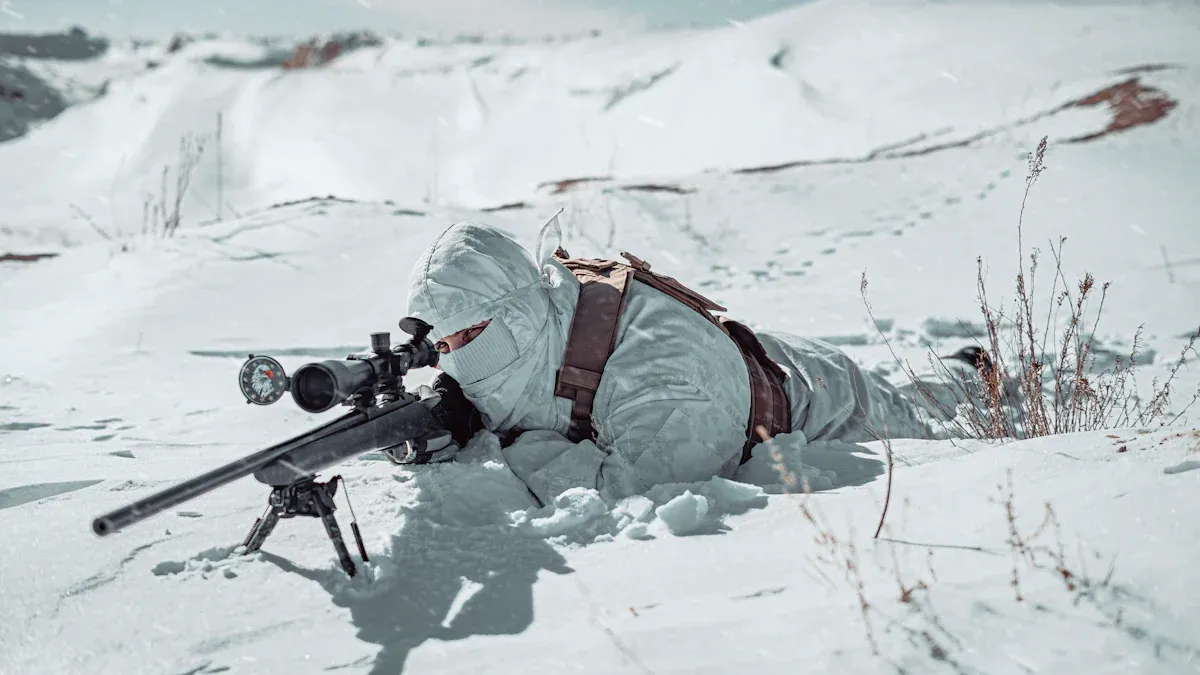
You have special problems when you use a thermal monocular in winter. Cold weather makes batteries lose power quickly. It also changes how your monocular thermal vision works. Snow and ice can make the thermal image look worse. The MV Series Infrared Thermal Monocular by Verytek gives you good thermal imaging. It also has batteries that last longer in tough winter weather.
Tip: Pick a thermal monocular that is strong and has many imaging modes. This helps your thermal vision work better in cold weather.
Key Takeaways
Cold weather can make your thermal monocular work worse. Keep your device warm before you use it. This helps the battery last longer. It also makes the sensor work better.
Pick a thermal monocular with more than one imaging mode. This helps you see better in snow. It can change to fit different backgrounds.
Always bring extra batteries in a warm pocket. Cold air makes batteries lose power fast. Be ready if you stay outside longer.
Use covers and cases to protect your monocular from wet and cold. This keeps your device working well. It also helps it last longer.
Try your monocular’s battery in real winter. Learn how long it works in the cold. This helps you plan your hunting trips.
Winter impacts on monocular thermal vision

Winter makes using your thermal monocular harder. Cold, snow, and ice change how it works outside. You need to know how winter affects your device. This is important for hunting and finding things outdoors.
Challenge Type | Description |
|---|---|
Thick woods, fog, wet air, rain, snow, cold, mountains, coastal forests, wetlands with low thermal contrast, far away dark places. | |
Equipment Requirements | Tough build, batteries that work well in cold, quick start, easy to carry, sensitive thermal sensors, accurate distance checking. |
Cold effects on sensors
Cold slows down the sensor in your thermal monocular. The sensor must find small temperature changes for hunting and detection. When it gets colder, the sensor may need more time to adjust. You might see a delay when finding targets. The MV Series has a sensitive sensor that keeps range and accuracy high, even in very cold weather. This sensor helps you spot animals or objects in low light and tough winter conditions.
Battery runtime in low temperatures
Batteries lose power faster when it’s cold. Your thermal monocular may turn off sooner than you expect. This can mess up your hunting or search. The MV Series has a battery made for cold weather. You get longer use and steady performance, even when it’s freezing. Always bring an extra battery and keep it warm in your pocket for best results.
Image quality in snow and ice
Snow and ice reflect heat in different ways. This can make images less clear and harder to see. You may notice less contrast between animals and the background. The MV Series has many imaging modes and high resolution to make images better. You can switch modes to get clearer pictures and spot things in snowy fields or icy woods. The small size makes it easy to use with gloves during winter hunting.
Tip: Try the MV Series’ laser rangefinder to check distance and help you find and identify things better in winter.
Getting your thermal monocular ready for winter
Winter makes using your thermal monocular harder. You must get your device ready so it works well. This helps you find and identify things when hunting or outdoors. Follow these steps to prepare your monocular for cold weather.
Warming your device and battery care
Cold can make batteries lose power fast. It can also slow down your sensor. Warm your device before you use it. Keep your monocular in your jacket or a warm bag until you need it. This keeps the sensor ready and helps the battery last longer.
Here are ways to take care of your battery:
Charge all batteries before you leave home.
Put extra batteries in a warm pocket so they don’t freeze.
Use the MV Series battery because it works well in cold.
Turn on your device for a few minutes before hunting so the sensor gets used to the cold.
Don’t leave your monocular in snow or on cold things.
Tip: Always bring extra batteries. Cold weather can make batteries run out faster, so you need more for long trips.
The MV Series is easy to hold in winter. You can use it with gloves. The buttons are easy to reach. This keeps your hands warm and helps you find things quickly.
Covers and accessories for protection
Covers and accessories help your monocular last longer in winter. You can use covers like the Camera Parka Pro. It keeps your device warm and safe from water and frost. It has a water-repellent outside and a soft inside. This keeps your device and hands warm and lets you use the controls easily.
Nanuk Cases are another good choice. They are made from strong NK-7 resin and meet military standards. These cases protect your monocular from cold, wet air, and drops. Nanuk waterproof cases keep your device safe in freezing weather.
Manufacturers use strong materials for covers. Devices like the Pulsar Telos XL50 work in freezing cold. This shows strong materials are important for good quality. The VEVOR Thermal Imager is waterproof and shockproof. HIKMICRO devices are made for tough outdoor use. This is important for covers in very cold weather.
Accessory Type | Benefit in Winter | Example Product |
|---|---|---|
Insulated Cover | Keeps device warm, protects sensor | Camera Parka Pro |
Waterproof Case | Shields from moisture and shocks | Nanuk Case |
Shockproof Cover | Prevents damage from drops | VEVOR Thermal Imager |
The MV Series is small and strong. You can use covers and cases to protect it while hunting. Its design makes it easy to carry and use in cold weather.
Testing battery life for reliability
You should test battery life before you trust your monocular for hunting. Cold weather can make batteries run out faster. Check how long your device works in real winter.
The specs say you should get a good night from two batteries, but cold can make them last half as long. To test, we charged the batteries, left the binocular outside to cool, and used it like we would on a normal winter hunt: scanning, changing modes, using the rangefinder, and recording sometimes. The result was good. The battery lasted close to what was promised.
Follow these steps to test battery life:
Charge your batteries all the way.
Put your monocular outside to cool down.
Use your device like you would when hunting: scan, change modes, use the rangefinder, and record images.
See how long the battery lasts.
Compare the real battery life to what the maker says.
This helps you know if your device will last for your trip. The MV Series gives you good battery life and strong features. You can trust its sensor and range for finding things in low light.
Note: Testing battery life helps you avoid problems when hunting. You can plan your trip and bring enough batteries to find and identify things.
The MV Series is easy to use, strong, and high quality. You get clear images and good resolution for hunting and finding things outdoors. Its sensor stays accurate, and its small size makes it easy to carry. Use these steps to make your monocular thermal vision better in winter.
In-field tips for thermal vision and deer hunting
Handling and minimizing fogging
Winter air is cold and damp. When you move your thermal monocular from a warm place to the cold outdoors, fogging can happen. Fog on the lens or sensor can block your view and lower image clarity. You want to keep your device clear for the best performance.
Here are steps you can follow to reduce fogging:
Keep your monocular in a case or inside your jacket before you use it. This helps the sensor adjust slowly to the cold.
Wipe the lens with a soft, dry cloth before you start hunting. Do not use your fingers.
Use anti-fog wipes or sprays made for optics. These products help stop moisture from sticking to the lens.
Avoid breathing directly on the eyepiece. Warm breath can cause instant fog.
If fogging happens, let the device air out in the cold for a few minutes. The sensor will match the outside temperature and fog will clear.
The MV Series has a compact design. You can handle it easily with gloves. The strong build keeps the sensor safe from sudden temperature changes. This helps you keep your thermal monocular ready for deer hunting in any weather.
Tip: Always check your lens and sensor before you start scanning for deer. A clear view means better detection and identification.
Optimizing settings for snow and ice
Snow and ice can make it hard to see deer. Bright snow reflects heat and can lower image quality. You need to adjust your thermal settings for the best detection and identification.
Follow these steps to get the best results:
Choose the right imaging mode. The MV Series gives you Black Hot, White Hot, Rainbow, and Iron. Black Hot works well in snowy fields because deer show up as dark shapes against the bright background. White Hot can help in forests with less snow.
Adjust brightness and contrast. Increase contrast to make deer stand out from snow and ice. Lower brightness if the image looks too white or washed out.
Use digital zoom to check distant targets. The MV Series lets you zoom in without losing much resolution. This helps you spot deer far away.
Scan slowly. Move your monocular in small steps. This helps the sensor pick up small heat differences.
Use the laser rangefinder to measure distance. Snow can trick your eyes, but the rangefinder gives you accurate range for better identification.
Setting | Best Use Case | MV Series Feature |
|---|---|---|
Black Hot Mode | Open snowy fields | Yes |
White Hot Mode | Forests, mixed terrain | Yes |
Digital Zoom | Distant deer detection | Yes |
Laser Rangefinder | Accurate range measurement | Up to 1000 meters |
You can switch modes and settings quickly on the MV Series. This helps you keep up with changing winter light and weather. You get better image clarity and quality for every hunting trip.
Enhancing target detection for deer hunting
Deer hunting in winter is easier with thermal technology. Deer give off heat, so they show up as bright or dark shapes on your screen. You can see them even when they hide in brush or behind snowbanks. Thermal monoculars do not need extra light, so you do not scare deer away.
Here is why thermal monoculars help you with deer detection and identification:
You see deer as heat silhouettes, even when they blend into the background.
You get better detection in low-light conditions, smoke, or light fog than with night vision.
You do not need a flashlight or IR light, so you stay hidden and quiet.
You can scan large areas quickly and spot deer at long range.
The MV Series gives you a sensitive sensor and high resolution. You get clear images and strong detection range. The laser rangefinder helps you measure the distance to deer for safe and legal hunting. You can record images and share them with friends or for legal proof.
Many hunters in North America trust thermal monoculars for deer hunting. Reviews from outdoor forums say that the MV Series gives reliable performance in cold weather. Users like the easy controls, compact size, and strong build. They also say the sensor stays accurate in snow and ice.
Note: Always check local hunting laws before using thermal devices. Some states have rules about night hunting or thermal optics. The MV Series meets outdoor standards for North America and gives you the features you need for safe and legal hunting.
You can use your thermal monocular for elk or moose hunting too. The sensor picks up large animals at long range. You get better detection and identification, even in thick woods or open fields.
Device | Detection Range (Deer) | Battery Life (Winter) | Legal Compliance (North America) |
|---|---|---|---|
MV Series | Up to 1000 meters | Long-lasting | Meets outdoor standards |
Other Brands | 600-900 meters | Varies | Check local laws |
You get better performance and image clarity with the MV Series. The sensor, rangefinder, and imaging modes work together for top-quality deer hunting. You can trust your device for every winter trip.
Tip: Practice with your thermal monocular before hunting. Learn how to use the settings and rangefinder. This helps you get fast and accurate identification in the field.
Maintenance and care for thermal devices
Cleaning and drying after use
You need to keep your thermal monocular clean so it works well. After each hunting trip, look for dirt, snow, or water on your device. Use a soft, dry cloth to wipe the lens and body. Do not use rough things because they can scratch the sensor or lens. If you see mud or ice, let it dry first. Then gently brush it off. Moisture can harm the sensor and make images less clear. Always dry your monocular before you put it away. This helps you keep good detection range and resolution for your next deer hunt.
Tip: Use lens cleaning wipes made for optics. These wipes help your thermal monocular stay clear and let you see deer in low-light.
Safe storage in winter
Storing your device the right way keeps it safe from cold and damage. Put your monocular in a small, padded case. This protects the sensor and keeps your device ready for hunting. Keep the case in a dry place, not near heat or freezing air. The MV Series is strong and works well in tough winter weather. Still, do not leave your device in a car overnight. Big changes in temperature can hurt the sensor and battery.
Storage Tip | Benefit |
|---|---|
Padded case | Protects sensor and lens |
Dry environment | Prevents moisture damage |
Away from heat/cold | Keeps battery and range safe |
Routine checks for MV Series
Check your thermal monocular before every hunting trip. Look for cracks, loose parts, or dirt on the sensor. Test the battery and make sure the detection range is good for you. The MV Series has Wi-Fi, so you can send deer images and videos to your phone. This helps you manage your data and look at your hunting results. Many people say the MV Series stays reliable after many trips. Outdoor forums and reviews praise its quality and detection power for deer hunting.
Note: Routine checks keep your monocular thermal vision sharp. You get better detection, range, and performance every time you hunt deer.
You can make your monocular thermal vision work better in winter by doing a few easy things. Keep your thermal device warm and always check how long the battery lasts. Clean your device after you use it. Change the settings for snow and ice so you get a clear thermal image. The MV Series has a high-resolution sensor that helps you see things clearly. Here is a checklist for winter:
Charge batteries and keep them warm
Use covers to protect your thermal device
Clean and dry your device after using it
Try out all features before you go hunting
Be ready for winter and tell your friends your best thermal tips.
FAQ
How does the MV Series perform in extreme cold, like -40°C?
The MV Series works well in very cold weather. People on outdoor forums say it still works at -40°C. The battery lasts longer than most other brands. Tests show the sensor stays accurate in harsh winter.
Is the MV Series legal for night hunting in Canada?
You need to check your local laws before using thermal monoculars at night in Canada. Some provinces let you use thermal devices, but others do not. The Canadian Wildlife Service gives updates. Always follow the newest rules for your area.
How long does the battery last during long-range performance in winter?
The battery gives steady power for long-range use, even when it’s freezing. Many people say it lasts 4-6 hours at -20°C. At -40°C, the battery does not last as long. Always bring extra batteries. Verytek’s numbers match what hunting magazines found in tests.
What are the shipping options and pricing for the MV Series?
You can buy the MV Series online. You can pick standard or express shipping. Prices change by where you live and who sells it. Check the Verytek website for the latest deals. Many buyers say shipping is quick and dependable.
Does the MV Series support multiple languages?
Yes, the MV Series lets you pick from many languages. You can choose your language in the menu. People say setup is easy for English, French, and Spanish. The manual lists all the languages you can use.
See Also
Using Vanadium Oxide Thermal Cameras for Effective Rescue Operations
Guide to Utilizing Thermal Imaging Cameras for Rescue Missions in 2025
The Importance of Thermal Imaging Cameras in 2025 Explained
Essential Tips to Enhance F-150 CarPlay Adapter Efficiency in Winter
Best RAV4 CarPlay Adapters for Reliable Winter Performance in Canada