

You should know the seven main technical specs when picking a 12μm 640×512 uncooled thermal imaging module. The table below lists the most important specs for these modules:
Specification | Details |
|---|---|
Pixel Pitch | 12μm |
Resolution | 640×512 |
Detector Type | VOx |
Frame Rate | 50Hz |
Power Supply | 2.5-6V (typical 5V) |
Output Interface | USB2.0 / USB3.0 |
Applications | Security, industrial, surveillance |
These specs are important because they change how well your thermal imaging works in real life. Designers of UAV and ADAS systems have to deal with size, weight, and power limits that old 17μm detectors cannot fix. The 12μm 640×512 uncooled thermal imaging module MIPI Thermal imaging core Uncooled thermal module, like the Verytek L640, helps solve these problems. You will learn how each spec matches your needs and helps you choose wisely.
Key Takeaways
Learn about pixel pitch. A smaller pixel pitch, like 12μm, makes images sharper. You can see more details with it.
Pick a resolution of 640×512 for sharp images. This helps you spot small temperature changes in many uses.
Find modules with low NETD values. Lower NETD means the module can sense tiny heat changes. This is important for getting accurate images.
Choose a frame rate of 50Hz for smooth pictures. This helps when you need to follow fast-moving things live.
Get modules with many interfaces. This makes it easy to use them in different systems. It also helps if you want to upgrade later.
Pixel Pitch in 12μm 640×512 Uncooled Thermal Imaging Modules
What Is Pixel Pitch?
Pixel pitch shows how far apart two pixels are on a thermal sensor. If the pixel pitch is 12µm, each pixel is only 12 micrometers from the next one. This small space lets more pixels fit in the same area. You get clearer pictures and see more details. In thermal imaging, a smaller pixel pitch helps you notice tiny temperature changes. The Verytek L640 uses a 12µm pixel pitch. This makes it a good choice for high-resolution jobs.
Effects on Image Quality and Detection
A 12µm pixel pitch gives engineers many benefits. You can keep a 640×512 resolution and make the module smaller and lighter. For example, the Verytek L640 weighs just 8g and uses only 0.40W of… power. This matters for UAVs and automotive ADAS systems. Every gram and watt is important. A smaller pixel pitch lets you build small devices without losing image quality. You also get better sensitivity. This means you can find small objects or temperature changes from farther away.
If you look at a 12µm pixel pitch and compare it to older 17µm designs, you will see big changes. The 12µm pixel pitch helps make modules smaller. They fit better in drones, helmets, or smart cameras. You also use less power, so batteries last longer. The Verytek L640 shows how 12µm pixel pitch works for advanced uses like uncooled LWIR module for UAV, MIPI CSI-2 thermal imaging, and 12µm thermal core integration. You get a flexible, high-performance tool for many uses.
Resolution and Imaging Core Performance
640×512 Resolution Explained
You want a thermal imaging module that shows details and is sensitive. The 640×512 12μm format does both jobs well. It gives you a clear picture and shows small temperature changes. This helps a lot in industrial inspection. You can find heat leaks or spot machines that might break soon. The 640×512 12μm sensor lets you see these problems early. In security, you need to see people or things in the dark. The 640×512 12μm resolution gives enough detail to see shapes and movement. The Verytek L640 module uses this format. You can use it inside or outside. The 640×512 12μm sensor works well in many places like factories and parking lots.
Tip: The 640×512 12μm resolution is a good pick if you want clear images and do not want too much data. You get enough pixels for good pictures without making your system slow.
Imaging Core and Application Scenarios
The imaging core is the main part of your thermal module. It takes signals from the 640×512 12μm sensor and processes them. You need a strong imaging core for fast and correct results. The Verytek L640 uses smart image algorithms. You get sharp pictures even if there is smoke or it is dark. The imaging core also lets you use features like MIPI CSI-2 thermal imaging and 12μm thermal core integration. This means you can connect the module to many systems like drones or ADAS platforms. The 640×512 12μm sensor and imaging core work together. You get steady performance for uncooled LWIR module for UAV, industrial inspection, and security. The Verytek L640 gives you power and flexibility in a small size.
NETD Sensitivity in Uncooled Thermal Modules
Understanding NETD
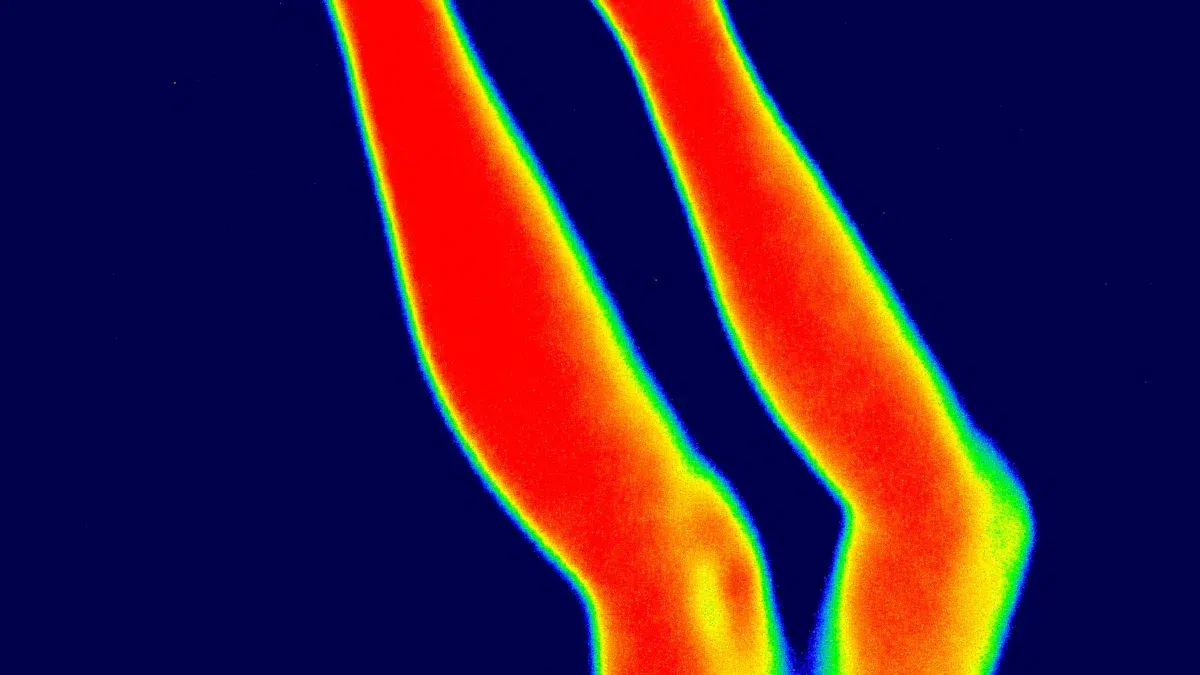
NETD means Noise Equivalent Temperature Difference. It tells you how well a sensor can see small heat changes. If the NETD is lower, the sensor can spot tiny heat differences. This is very important for jobs like checking machines, keeping places safe, and using UAV systems. If you want your pictures to be clear and your sensor to be sensitive, pick a module with a low NETD.
The Verytek L640 module has NETD values of ≤50mK or even ≤40mK at 25℃. This means it can find small temperature changes, even when things get hard. Here is a table that compares NETD values for some popular sensors:
Product | NETD Specification |
|---|---|
Verytek L640 | ≤50mK @ 25℃, F#1.0 |
M3J640 | <40mK @ 25℃, F#1.0 |
CE Series | <50mK @ 25℃, F#1.0 |
InfraView Mini | 50mK |
ThermoEye Pro 320 | 42mK |
THERM-X2 Lite | 48mK |
Sensitivity and Real-World Impact
A low NETD helps you measure temperature more accurately. If your module has NETD ≤50mK, you can find small heat leaks or see people in hard-to-see places. The table below shows what different NETD values mean for you:
NETD Value | Implication |
|---|---|
≤ 20mK | Very high sensitivity, so you can see tiny temperature changes and get clear images even when it is hard to see |
40-50mK | High sensitivity, good for most jobs in factories and security |
>50mK | Normal sensitivity, might miss small temperature changes |
Most sensors you can buy have NETD values between 40mK and 50mK. The Verytek L640 is in this high group. You can use it for 12μm thermal core integration, MIPI CSI-2 thermal imaging, or as an uncooled LWIR module for UAV. You will get clear pictures and good results, even when the temperature changes are small.
Tip: Always look at the NETD value before you choose a thermal module. Lower NETD means your sensor will work better and give you more correct results.
Frame Rate and MIPI Interface Integration
Frame Rate Options
Frame rate means how many pictures your thermal module takes each second. For 12μm 640×512 uncooled thermal imaging modules, you often see frame rates like 25Hz and 50Hz. The table below shows a common frame rate for these modules:
Frame Rate | Value |
|---|---|
50Hz |
A frame rate of 25Hz lets you see temperature changes quickly. You can find heat leaks or moving things right away. This speed helps you watch how things change over time. At 25Hz, you can also split up different spectral channels. This helps you study details in your images. If you use a higher frame rate like 50Hz, your pictures look even smoother. This is important when things move fast, like in UAVs or cars with ADAS systems. You see more details and can react faster to changes.
25Hz frame rate helps you see body activity and small changes.
Higher frame rates make it easier to follow movement.
At 25Hz, you can split spectral channels for better study.
MIPI and Data Transfer
You need a strong interface to move all these images fast. The Verytek L640 module uses a 2-lane MIPI (Raw8) interface. This interface lets you send images quickly and uses little power. The Hirose 70-pin connector helps stop shaking, which is important for UAVs and cars. You get steady connections even in rough places.
The CDS3 format in the Verytek L640 lets you send thermal images and temperature data at the same time. This means you can send both types of data together, so your edge AI system works faster. You get results sooner and better performance for 12μm thermal core integration, MIPI CSI-2 thermal imaging, and uncooled LWIR module for UAV. This setup makes your imaging system stronger and ready for real life.
Tip: Pick modules with MIPI CSI-2 support and strong connectors if you want fast, steady imaging in drones or cars.
Spectral Band and Uncooled VOx Detector
8~14μm Spectral Range
It is important to know why the 814μm spectral band is used in thermal imaging. This range is called the long-wave infrared (LWIR) band. Most things at room temperature give off energy in this band. When you use a thermal imaging module like the Verytek L640, you can see heat from people, machines, and buildings. The 814μm range matches the “atmospheric window.” This means the Earth’s air lets infrared energy go through easily, so you get clearer pictures.
Many materials show high infrared emissivity in this band. For example, some materials can have an average emissivity of 0.927. This high number helps you find small temperature changes and control heat well. You can use this for passive cooling, checking buildings, and finding fires. The 8~14μm band works well for 12μm thermal core integration, MIPI CSI-2 thermal imaging, and uncooled LWIR module for UAV.
Here is a table that shows how the LWIR band compares to other spectral bands in thermal imaging:
Band | Approx. Range | Typical Sensor | Key Material Behavior | Common Applications |
|---|---|---|---|---|
LWIR | ~8–14 μm | Uncooled microbolometer / HgCdTe | Blackbody emission from room-temp objects | Thermography, building inspection, fire and human detection |
VOx Detector Advantages
You want a detector that works well without needing complex cooling. Uncooled VOx (vanadium oxide) detectors, like the one in the Verytek L640, give you this benefit. These detectors sense heat changes fast and do not need heavy cooling systems. You get a smaller, lighter, and more energy-saving module.
VOx detectors give you these good points:
High sensitivity for finding small temperature differences.
Fast response for real-time imaging.
Low power use, which is great for drones and portable devices.
Long life and steady performance in tough places.
You can use the Verytek L640 in many areas, like UAVs, ADAS, and checking factories. The uncooled VOx detector helps you get good results for 12μm thermal core integration and MIPI CSI-2 thermal imaging. You can trust your module to work in many places, from factories to outdoor security.
Tip: Pick uncooled VOx detectors if you want a good mix of performance, size, and power use in your thermal imaging projects.
Size, Weight, and Power in Verytek L640
Compact Design Benefits
You want a thermal imaging module that fits in small places. It should not make your device heavy. The Verytek L640 is only 21×21mm and weighs just 8g. This small size lets you put it in handheld tools, helmets, or UAVs. Your drones can fly longer because they are lighter. Handheld devices are easier to carry. The small module also works well in cars or factories where space is tight.
The small shape of the Verytek L640 helps you use it in many devices. You can add it to portable tools or small spaces without making things bigger.
Here is how the Verytek L640 matches up with other modules:
Specification | Value |
|---|---|
Size | |
Weight | <15g (w/cover) |
The Verytek L640 is lighter than most other modules. This gives you more ways to design your device.
Low Power Consumption
Saving power is important for portable or battery-powered thermal modules. The Verytek L640 uses less than 0.3W of power. This means your device can run longer on one battery charge. You can use it in drones, wearables, or remote stations without changing batteries often.
Module Type | Power Consumption |
|---|---|
Verytek L640 |
Using less power also keeps your device cooler inside. This helps your device last longer and work better. You can count on the Verytek L640 to work well in tough places. It is good for 12μm thermal core integration, MIPI CSI-2 thermal imaging, or uncooled LWIR module for UAVs.
Tip: Pick modules that use little power to make your devices last longer and save energy.
Interface Flexibility and Customization
Multiple Interface Support
You want a thermal imaging module that is easy to connect. The Verytek L640 gives you many ways to do this. You can use MIPI, USB, BT.656, or analog video. Each one helps you use the module in different devices. MIPI is good for fast data in drones and ADAS systems. USB lets you plug into computers or small devices. BT.656 and analog video work with old systems or special screens. This means you can use the 12μm 640×512 uncooled thermal imaging module mipi thermal imaging core uncooled thermal module in lots of projects. You do not have to change your whole setup. You save time and money when you add new things or make your system better.
Tip: Pick a module with many interfaces if you want to sell to different markets or update your devices later.
Programmability and Application Fit
You want your thermal imaging module to work for your project. The Verytek L640 has a programmable design. You can change things like brightness, contrast, and color palettes. You can also set the temperature range and how the module sends data. This helps you get the best results for your job. If you use UAVs, you can set the module for fast pictures. If you use it in factories, you can focus on getting the right temperature. The 12μm 640×512 uncooled thermal imaging module mipi thermal imaging core uncooled thermal module lets you make custom solutions. You can program the module to fit your work. This makes your system smarter and more flexible.
You can use the 12μm 640×512 uncooled thermal imaging module mipi thermal imaging core uncooled thermal module in many places. You can put it in drones, cars, or factory machines. You can change how it works without changing the hardware. This saves you time and helps you meet new needs as they come.
Note: Programmable modules help you keep up with new technology and what customers want.
You have learned how each technical specification changes how well 12μm 640×512 uncooled thermal imaging modules work. When you look at modules like the Verytek L640, you get easy-to-understand facts to help you choose.
Parameter | Description |
|---|---|
Detector resolution | 640x512px is good for hunting and seeing far away. |
Power Consumption | Less than 0.3w, so it saves energy. |
Weight | Less than 8g, which makes it light for many uses. |
Thermal Sensitivity (NETD) | Below 35mK, so you get clear images even with small temperature changes. |
Focal Length Options | 50mm is for far away, 35-40mm is for medium, and 25mm is for close-up views. |
Application Scenarios | High resolution is best outdoors, medium is for inside, and high refresh rates are for pro jobs. |
You need to pick the specs that fit your project. For the best results in 12μm thermal core integration, MIPI CSI-2 thermal imaging, or uncooled LWIR module for UAV, check the datasheets and ask experts for help.
Download the L640 hardware integration manual and MIPI development guide to make your testing faster.
FAQ
What makes the 640×512 uncooled thermal camera module ideal for UAVs?
The 640×512 uncooled thermal camera module is small and light. Drones can fly longer with it. It fits in tight spots on a drone. You can use it to watch things live and check temperatures from the sky.
How does the 640×512 uncooled thermal camera module improve ADAS systems?
You can put the 640×512 uncooled thermal camera module in ADAS systems for better night vision. The module can see heat from cars and people. This helps keep you safe and stops crashes when it is dark.
Can I use the 640×512 uncooled thermal camera module for industrial inspection?
Yes, you can use the 640×512 uncooled thermal camera module to find hot spots and broken parts. The module shows clear pictures of machines and wires. You can find problems early and keep your machines safe.
What interfaces does the 640×512 uncooled thermal camera module support?
You can connect the 640×512 uncooled thermal camera module with MIPI, USB, BT.656, or analog video. This means you can use it with many devices. It works with both new and old systems without extra steps.
Is the 640×512 uncooled thermal camera module easy to customize?
You can set up the 640×512 uncooled thermal camera module for what you need. You can change things like brightness, contrast, and colors. This helps you get the best results for drones, ADAS, or factory tools.
Tip: Always look at the datasheet for the 640×512 uncooled thermal camera module before you start. This helps you make sure the module fits your system.
Feature | Benefit for You |
|---|---|
Lightweight | Easy to add to drones and helmets |
Multiple interfaces | Simple integration with your hardware |
Programmable options | Custom fit for your application |
See Also
Vanadium Oxide Thermal Imaging Cameras Enhance Rescue Operations
The Importance of Thermal Imaging Cameras in 2025
Utilizing Thermal Imaging Cameras for Rescue Missions in 2025